Reflection | VRayReflection
This page gives an overview of the Reflection Render Element and explains how it is used.
Page Contents
Overview
The Reflection Render Element stores reflection information calculated from the materials' reflection values in the scene. Surfaces with no reflection values set in their materials will contain no information in the render pass and will therefore render as black.
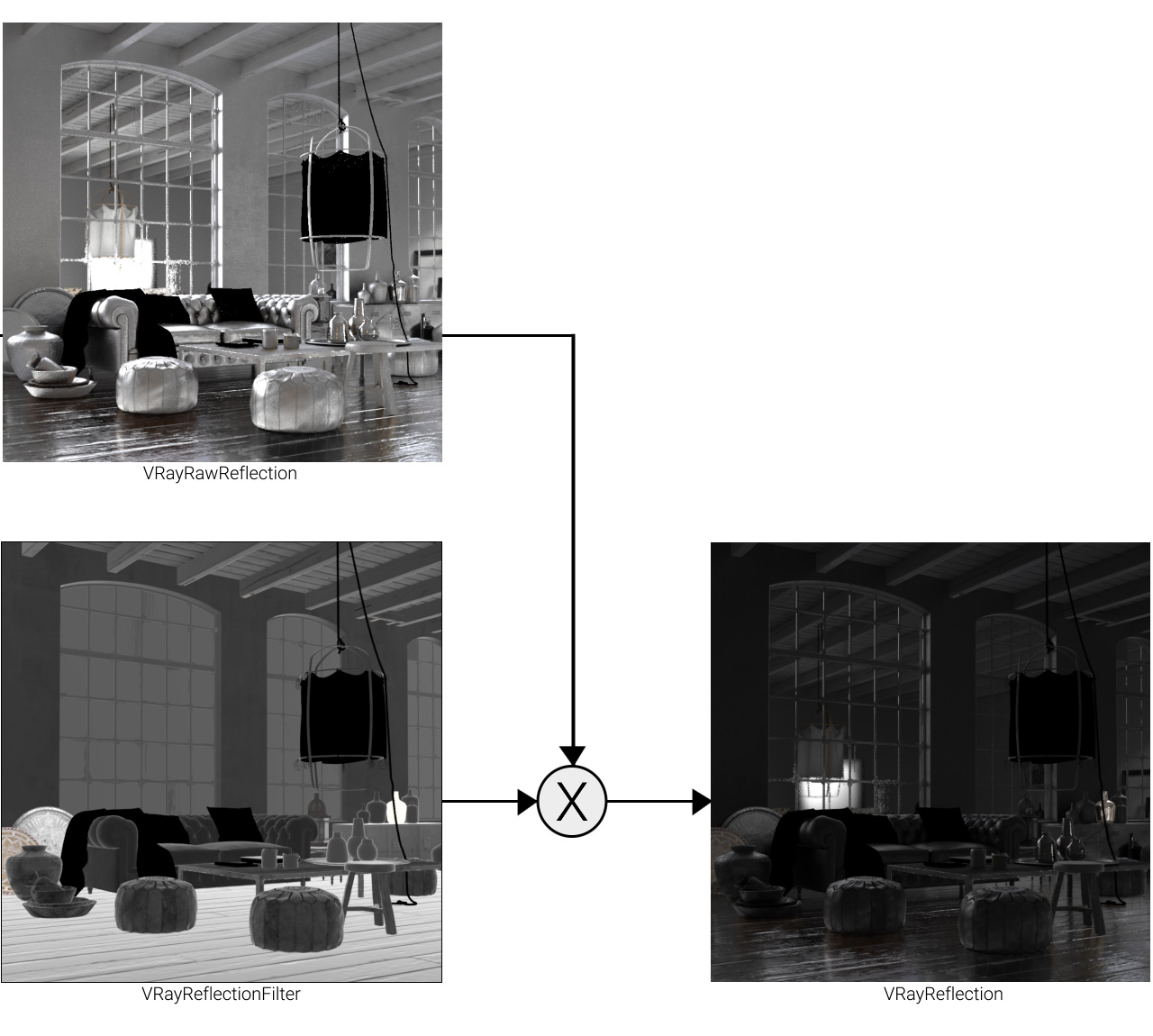
The Reflection Render Element is formed by multiplying the Raw Reflection (VRayRawReflection) Render Element by the Reflection Filter (VRayReflectionFilter) Render Element . So while the raw reflection pass gives the full reflection of objects reflecting in the scene, the reflection filter sets how much of that reflection should come through in the composite. The two are multiplied together to create the VRayReflection render element which gives a true representation of the reflection in the scene.
The Reflection Render Element is a key component in the main Beauty Pass.

UI Path: ||Render Setup window|| > Render Elements tab > Add button > VRayReflection
Parameters
This render element is enabled through the Render Elements tab of the Render Setup window in 3ds Max and displays its parameters in a rollout at the bottom of the window:
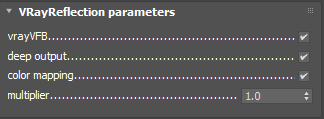
vrayVFB – When enabled, the render element appears in the V-Ray Virtual Frame Buffer.
deep output – Specifies whether to include this render element in deep images.
color mapping – Applies the color mapping options specified in the Color mapping rollout of the V-Ray tab in the Render Setup window to this render element. This option is enabled by default.
multiplier – Sets the overall intensity of the render element, where 1.0 is the standard multiplier.
Common Uses
The Reflection Render Element is useful for changing the appearance of reflective elements after rendering using compositing or image editing software. Below are a couple of examples of its use.

Reflection Render Element

Original Beauty Composite

Brightened Reflections

Warmed Reflections