How to Uninstall V-Ray
This page provides information on how to uninstall V-Ray using the included V-Ray uninstaller.
Page Contents
Overview
The V-Ray installer will automatically uninstall any previous versions before installing a newer version. If you need to manually uninstall V-Ray, please make sure that 3ds Max or V-Ray components are not being used.
Uninstalling V-Ray
To access the V-Ray uninstaller, go to Start menu > Control Panel > Programs and Features > V-Ray for 3ds Max or Start menu > All Programs > Chaos Group > V-Ray Adv for 3ds Max...> Uninstall V-Ray for 3ds Max.
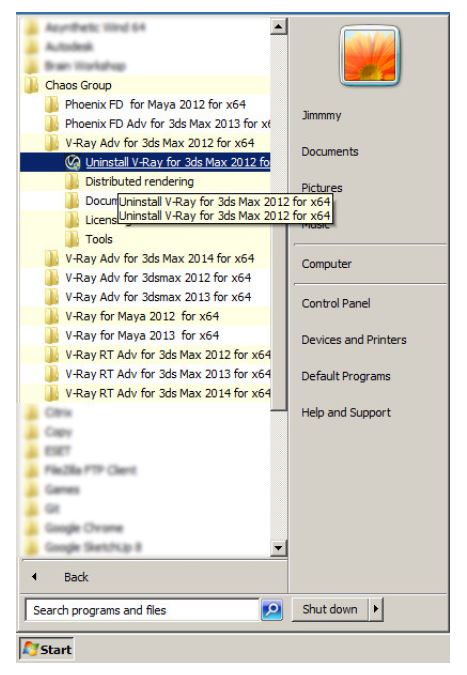
This will start the V-Ray uninstaller. Follow the on-screen instructions to remove V-Ray from your system and restore any files overwritten by the installation.
After the uninstall is complete there may be some leftover files that you need to delete. Please check if the following files and folders are present and delete them:
|
Location |
Files and Folders to delete |
||
|
For V-Ray 1.5 |
For V-Ray 2.* |
For V-Ray 3.* |
|
|
3ds Max Root Folder |
vray20xx.dll
|
vray.dll |
vray.dll |
|
3ds Max root folder \plugins |
\vrayplugins folder |
\vrayplugins folder |
\vrayplugins folder |
|
C:\Program Files\Chaos Group\V-Ray\3dsmax 20xx for x64 |
|||
|
C:\Program Files\Chaos Group\V-Ray\RT for 3ds Max 20xx for x64 |
|||